

On a budget? We can still help support
you and your business website
Options for those micro businesses, entrepreneurs and charities on smaller budgets
If you’re on a tight budget, our website design packages might not be the right fit for you right now but you may still want professional help to get your website up and live.
The good news is, we provide a range of options that are budget friendly for those who are just getting started, want to learn more skills or who just want to save some money – we can even help with Do It Yourself websites!
Our options range from a planning guide to help you prepare to build your website, mentoring help to motivate you and give you professional advice along the way – sharing our expertise, and pre-paid or PAYG help if you are making a DIY website – keep us on hand just in case you get stuck or need help with tricky parts. Read on to learn more about each option.
Which help option are you looking for?
Do you know what goes into a great website?
There’s a lot more planning and building a website than you might think…
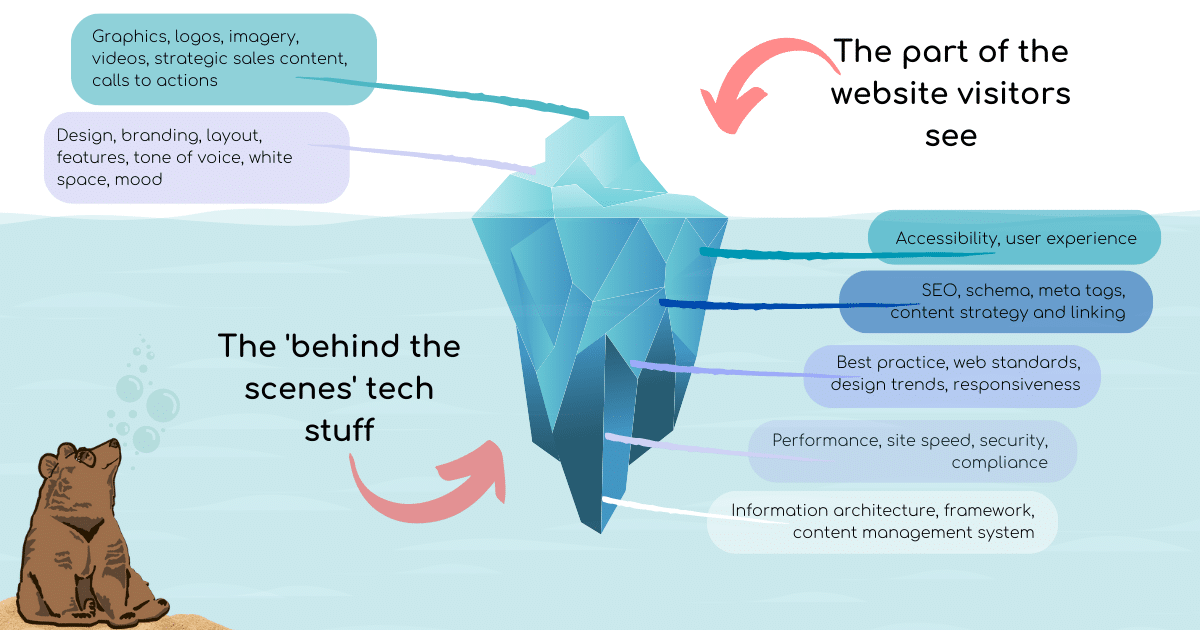
A good looking website isn’t necessarily going to convert to website sales or lead generation – or rank well with Google.
And so, to help you get the very best website whether you’re employing a developer to help you or building your own website, we’ve created a planning guide to help you.
Or, we can help you and we have a range of options for that, too.
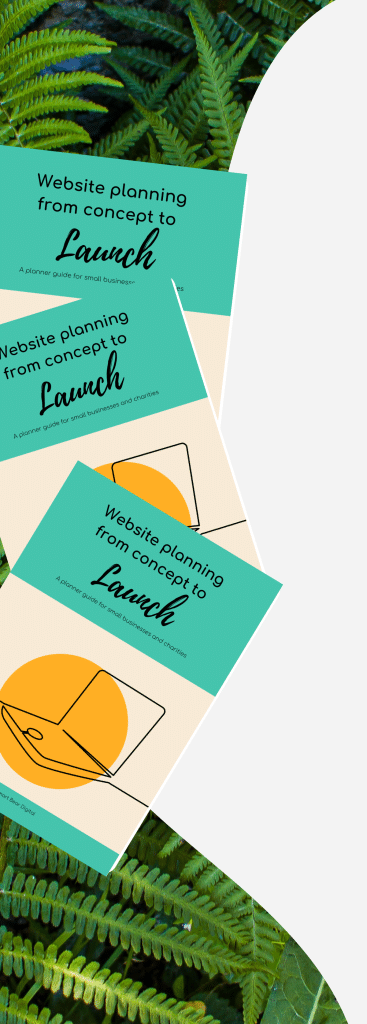
Website Planning from Concept to Launch Book: A planner-guide for small business and charities
Are you building a website for the first time but don’t know where to start? Are you doing it yourself to save money? Or perhaps you want to rebuild your current website because it’s not performing but you don’t really know why?
Maybe you’re hiring someone to build it for you and you have to write a brief but you’re scared of missing something important?
If you need to create a website for your small business or charity – whether you intend to build it yourself, or hire a professional – this planner is designed to guide you through the process from the initial concept to the launch of the website, and 6 months beyond.
Developed specifically for freelancers, micro businesses/ solo-preneurs and small charities/ not-for-profit businesses, this is a step-by-step guided workbook on how to plan a website that works for your organisation AND your customers.
Compact in size for portability, it has 120 pages and 14 sections with plenty of spaces to plan out your perfect website.
With best practice help and insight along the way to help you build a great website for your organisation, this planner covers;
- Website goals & functionality
- Fixed costs of building a website
- Funding & budgets
- Who will use your website?
- How will they use your website?
- Planning the customer journey
- Branding & tone of voice
- Competitor & keyword research
- Sitemap, pages & layouts
- Starting a blog
- Laws & legislation
- Finding a developer
- Starting to build and going LIVE!
- Before and after launch checks

The Website Club
Get free help and advice by subscribing to The Website Club over on Substack. We offer a free membership, or for those looking to do more with their website, a paid subscription at £8 per month where we offer workshops and specialist advice – including how to build your very own free website!
Some of the topics The Website Club covers:
DIY SEO – step by step help to improve your own SEO
Through a combination of webinars, worksheets and group mentoring, you’ll learn SEO over a series of sessions at the same time as improving your business website ranking.
Build your own Website – step by step instruction on building your own business website
Using the combined learning techniques of webinars, practice worksheets, group mentoring and support, you will build your own website over a series of sessions, supported by a professional website designer the whole way.
Sign up free below
…and get instant access to my ‘5 Quick Fixes to Make Your Website Look More Professional in a Day’ guide
Please note some content is subject to a monthly subscription of £8 per month, but there is a lot of content that doesn’t require a paid subscription.


Pay-by-the-hour Website design
Need some help to build a new website or re-style an existing one? Perhaps you have all the content ready and design mapped out but you don’t have the time or the skills to get the project off the ground – and you’re on a tight budget.
Whatever you need, we are there to support you with PAYGO website design, development and maintenance, doing as little or as much as you want us to for a fixed hourly rate.
Prepaid Website Support Options
Bought in 30-minute increments, in advance, our Pay-As-You-Go system offers flexibility for professional assistance.
This is option is ideal if you know you’re going to need some help with your website project but you want to keep control of your budget and don’t want to commit to a monthly retainer.


Website planning & building mentoring
We have a Pay as You Go option for those who feel they want to make a website themselves – you may need motivation to get your website up and running, advice as to which is the best platform option, help planning the sitemap to training for you learn more about SEO.
If you’ve finished building, you might want a professional website critique to learn if there are any improvements you can make to either convert visitors into customers, or get found on search engines.
We are there to help you with training, coaching and mentoring – simply pay for as little or as much as you need along the way and why not team it with the Website Planning from Concept to Launch book to make sure your new website has everything you need.
What’s the difference between a mentor and a coach? Learn more here
Request a free consultation
FAQs About Budget-Friendly Website Options
I can’t afford a full website package right now – what are my realistic options?
You’re definitely not alone, and there are several practical ways to get professional help without needing thousands of pounds upfront.
The Website Club (from free to £8 per month): This is our most budget-friendly option. The free membership gives you access to helpful articles, guides, and resources. For £8 per month, the paid subscription includes:
– Step-by-step workshops on building your own website
– DIY SEO training to improve your Google ranking
– Group mentoring and support
– Access to webinars and practice worksheets
This is perfect if you’re willing to do the work yourself but want professional guidance along the way.
Website Planning Book (£25): If you need to get your thoughts organized before building (or hiring someone to build), this 120-page planner guides you through everything from goals and budgets to customer journeys and legal requirements. Many people find that proper planning saves them money in the long run by avoiding costly mistakes.
Pay-by-the-hour (£75/hour): If you can handle some tasks yourself but get stuck on technical bits, you can hire us just for specific jobs. An hour goes further than you’d think- especially if you’re well-prepared with content and clear ideas.
Prepaid support blocks: Buy time in 30-minute increments when you have the budget available. Use it when you need it, without committing to monthly fees.
Mentoring sessions: Book one-off sessions for motivation, platform advice, or training on specific topics like SEO or website planning.
The Smart Bear approach: Many people start with The Website Club or the planning book, then add pay-as-you-go help for the tricky technical bits. You’re in control of spending and only pay for what you actually need.
What’s the difference between The Website Club and your mentoring/coaching services?
Great question – they serve different purposes depending on how you prefer to learn and what support you need.
The Website Club (£8/month subscription):
Format: Self-paced learning through webinars, worksheets, and written resources
Support: Group mentoring sessions where you can ask questions alongside other members
Content: Structured courses on building websites and improving SEO
Ideal for: People who like learning at their own pace and don’t need one-on-one attention
Commitment: Monthly subscription you can cancel anytime
Community: Learn alongside other small business owners facing similar challenges
Mentoring/Coaching (Pay-as-you-go):
Format: One-on-one sessions focused entirely on you and your specific situation
Support: Personalised advice, accountability, and motivation tailored to your needs
Content: Whatever you need help with – platform choices, planning, SEO training, problem-solving
Ideal for: People who want individualized attention and accountability
Commitment: Book sessions when you need them, no ongoing commitment
Flexibility: Sessions designed around your specific goals and challenges
Learn more about the mentoring vs coaching approach
Can you do both? Absolutely! Some people subscribe to The Website Club for general learning and book occasional mentoring sessions when they need specific help or a motivational push.
Which should you choose? If you’re self-motivated and learn well from courses, start with The Website Club. If you need accountability, personalized guidance, or feel overwhelmed and don’t know where to start, mentoring might be a better fit.
Not sure? The free Website Club membership lets you explore the resources before committing to anything paid.
How does the Planning Book actually help me, and is it worth buying if I’m using The Website Club?
The Planning Book and The Website Club serve different purposes, and many people find using both together gives them the best results.
What the Planning Book does: Think of it as your personal website planning assistant. This 120-page workbook walks you through 14 essential sections with space to plan, brainstorm, and document everything about your website project:
– Defining your website goals and needed functionality
– Working out realistic budgets and fixed costs
– Understanding who will use your website and how
– Planning customer journeys that convert
– Researching competitors and keywords
– Mapping your sitemap and page layouts
– Understanding laws and legislation
– Launch checklists and post-launch tasks
It’s compact and portable, so you can work on it anywhere – perfect for those moments when inspiration strikes or you have 20 minutes to plan.
Why it’s valuable even with The Website Club: The Website Club teaches you how to build and optimize your website. The Planning Book helps you work out what to build and why. They complement each other perfectly.
You might learn how to create pages in The Website Club, but the Planning Book helps you decide which pages you actually need and what should go on them. It’s the strategy behind the tactics.
Who finds it most useful:
– First-time website builders who feel overwhelmed
– People hiring developers and need to write a comprehensive brief
– Anyone rebuilding a website that isn’t performing
– Organized planners who like having everything documented in one place
– Teams who need to collaborate on website planning
Is it essential? No – you can build a website without it. But proper planning prevents costly mistakes and ensures your website actually works for your business goals. The £25 investment often saves people hundreds (or thousands) in avoided mistakes or rebuilds.
Many customers tell us they wish they’d had this book before building their first website!
I’m worried I’ll start building my own website and get stuck – what support is available?
This is completely normal, and we’ve built our budget options specifically with this concern in mind. You’re not left to figure everything out alone.
Support options available:
The Website Club paid membership (£8/month):
– Access to group mentoring sessions where you can ask questions
– Community of other people building websites who understand your challenges
– Step-by-step workshops that break complex tasks into manageable chunks
– Resources and guides you can reference whenever you’re stuck
Pay-as-you-go help (£75/hour with 15-min minimum): Keep us on hand for when you hit technical roadblocks. Many DIY builders use this for:
– Setting up tricky integrations (payment systems, booking forms)
– Troubleshooting technical issues they can’t solve
– Getting unstuck on design problems
– Final checks before launching
Prepaid support blocks: Buy time in advance (in 30-minute increments) so you have it ready when you need it. No 15-minute minimum charge on prepaid time, which saves you money.
Power Hours: Book a focused one-hour session to work through specific challenges, get motivation, or plan your next steps.
How most people use these options: Many successful DIY website builders combine The Website Club subscription (for ongoing learning and support) with occasional pay-as-you-go help for the technical bits they can’t figure out themselves.
For example: You might build most of your site following Website Club workshops, then pay for an hour of help to set up payment processing or troubleshoot why something isn’t working.
Real talk: Building your own website is absolutely achievable, but you will get stuck sometimes. That’s normal and expected. The key is having support available when you need it, without being locked into expensive monthly retainers or full-service packages you can’t afford.
Think of it like learning to cook – you can follow recipes (The Website Club), but sometimes you need to call someone who knows what they’re doing when your sauce won’t thicken (pay-as-you-go help).
Will a DIY or budget website look as professional as your full design packages?
Honest answer: It depends entirely on your skills, time investment, and willingness to learn – but it’s absolutely possible to create something professional-looking.
What determines the result
Your input matters most: The biggest factor isn’t the budget option you choose, but the effort you put into;
– Planning your content properly (this is where the Planning Book helps enormously)
– Understanding your customers and what they need
– Following design best practices (which we teach in The Website Club)
– Taking time to create quality content and images
– Testing everything thoroughly before launching
The Website Club advantage: Our workshops teach you professional standards and best practices. You’re not just randomly clicking buttons – you’re learning why things work and how to implement them properly. This means your DIY site can look professional because you’re following professional guidance.
What you might not get:
– The same level of custom design polish as a £3000 package
– Premium templates (though we teach you how to choose and customize good free/affordable ones)
– Someone else doing all the time-consuming work
– Professional copywriting (unless you’re a good writer yourself)
– The same speed – DIY takes longer because you’re learning as you go
What you absolutely can achieve:
– A clean, modern, functional website
– Proper SEO foundations
– Mobile responsiveness
– Professional-looking layout and navigation
– A site that represents your brand well
Real examples: Many Website Club members have built genuinely professional websites that work brilliantly for their businesses. The difference isn’t always visible quality – it’s often speed and the breadth of expertise applied.
The hybrid approach: Some smart business owners build most of their site themselves using Website Club guidance, then pay for a couple of hours of professional help for final polish and technical setup. This gives them a professional result for a fraction of the full package cost.
Bottom line: A well-planned, carefully built DIY website following professional guidance will always look better than an expensive website built without proper planning or strategy. It’s not just about money – it’s about doing things properly, whatever your budget allows.