
 Suzi Smart Bear
So you think you are security conscious? But is your password strong enough?
A lot of people are concerned about security, I’d go far as to say that some people are verging on paranoid in terms of their personal safety. They check they’ve locked doors, checked their keys and sometimes even go back to check again. But how secure are you with your online life?
My websites and emails are very secure thank you very much
Whenever we work with a client, we make sure that the security on their site is up to scratch. We use a plug-in (or three) which can help prevent attacks, but also add things like Captcha to contact forms and extra security at sign on to help keep you safe.
But, what happens if your password lets you down?
My password is safe… I think?
I hold my hand up here, I didn’t always practice what I am preaching here. I used the same password all over the place. That’s the first rule broken for a start!
ALWAYS make sure that you use a unique password on every website and email that you use. No matter how insignificant you think the site is.
Once one password is cracked, then there is a good chance that this can be used to get into other sites if you’re using the same one (or variations of it) all over the web.
But it’s so hard to remember long passwords!
Yes, it is, but you don’t have too; and no, I don’t mean writing it down! That is rule number two broken!
NEVER write it down or store it in a file in plain text! No, no, and no!
There are lots of different password vaults which you can use now, so there are no excuses. We tend to use LastPass, there are other ones such as Dashlane, Keeper etc.
(There is a comparison chart here if you fancy geeking out on it https://uk.pcmag.com/password-managers-products/4296/guide/the-best-password-managers-of-2018 )
These basically mean that you can store everything you need, but only then have to remember the vault password.
But my password has special characters in it
That alone may not save you from your password being cracked.
Have a look at the images below. This is basically different iterations of password as a password.
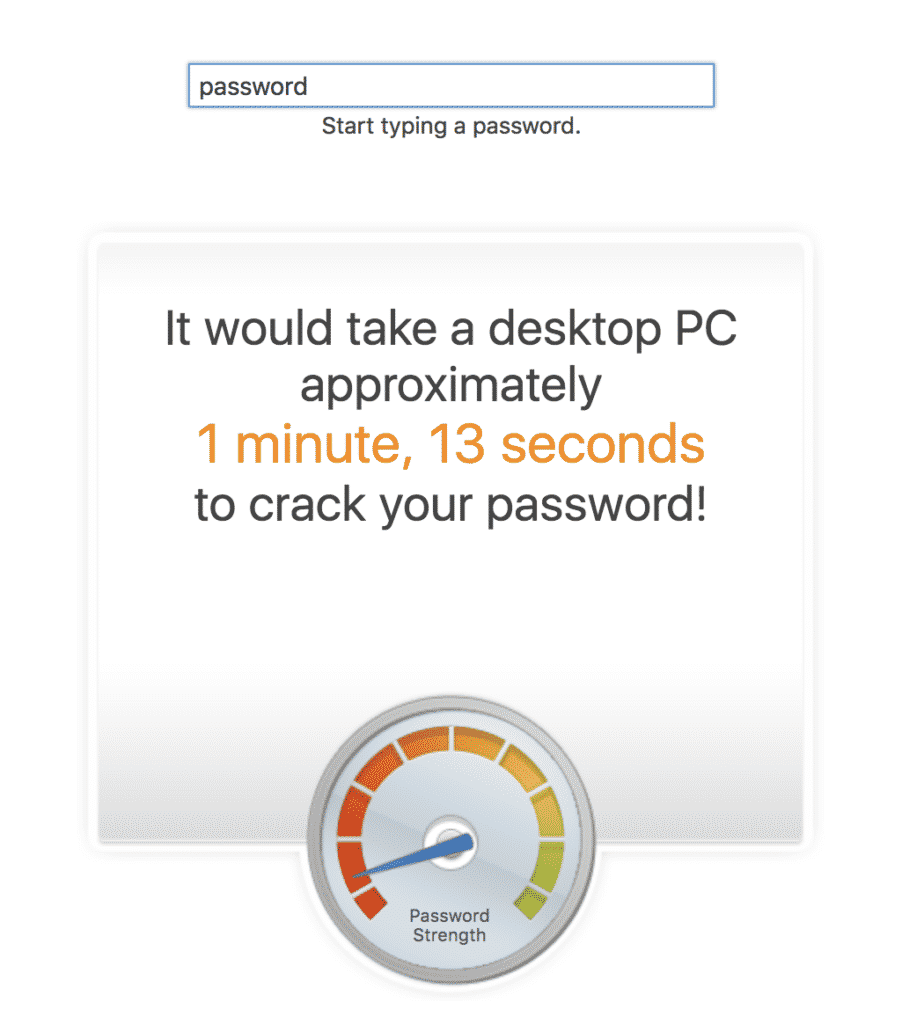
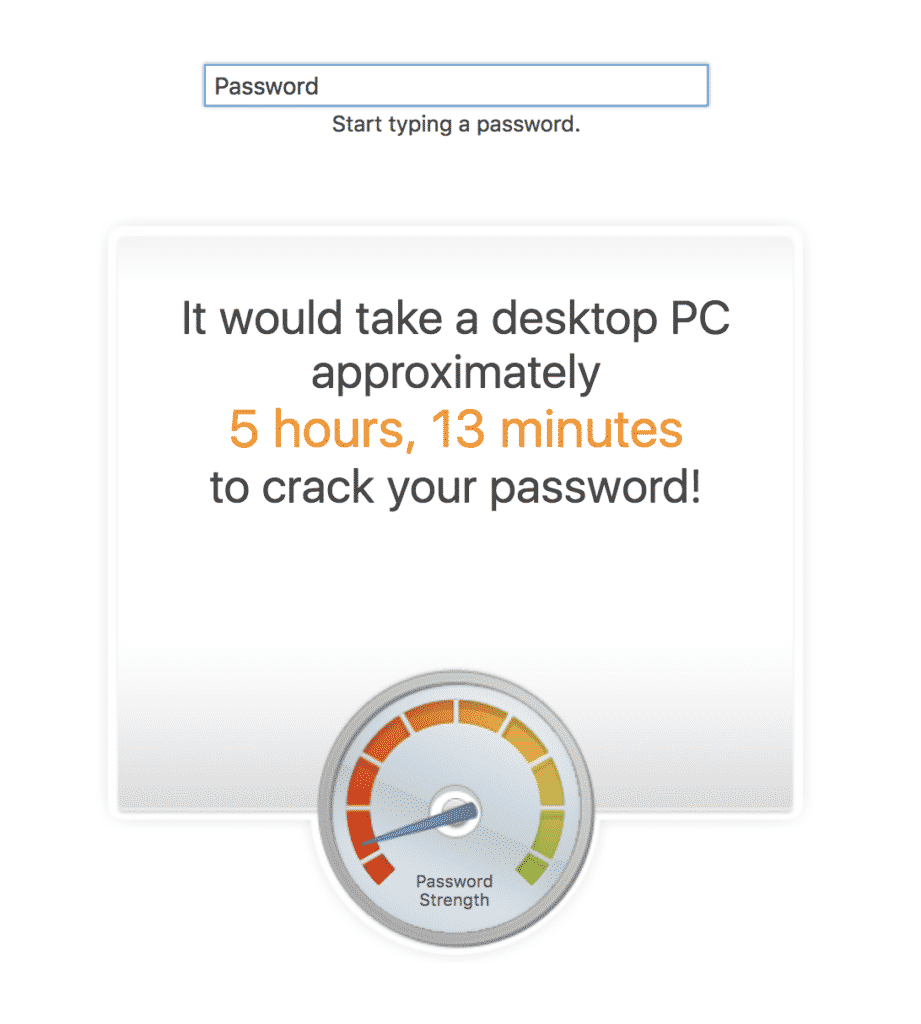
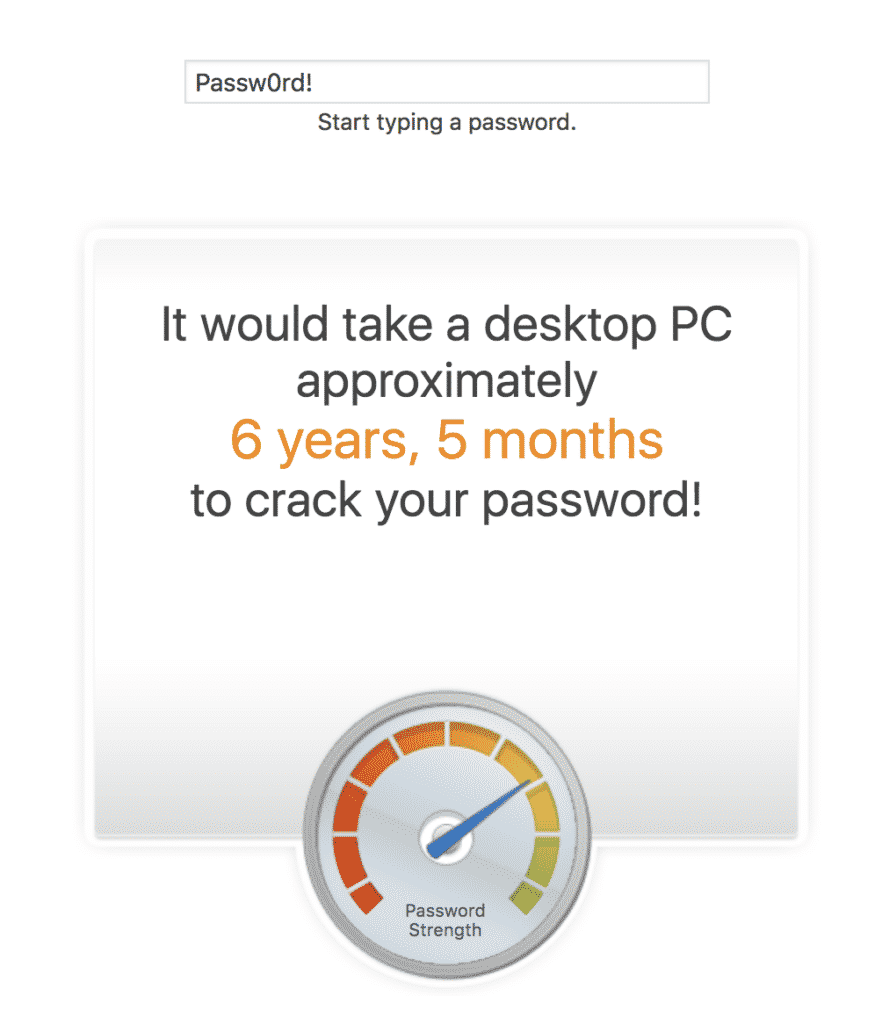
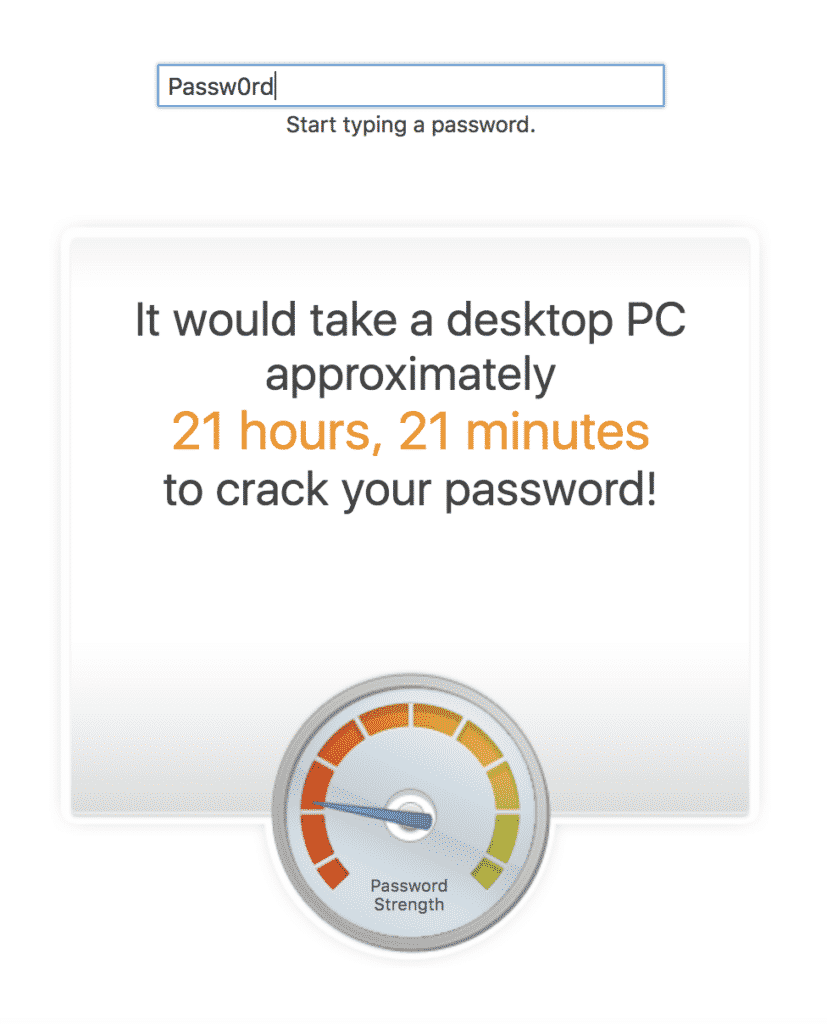
You can see how adding complexity such as uppercase characters, numbers and special characters will help, but really you need the mother of all passwords to keep you totally safe…
I am still not convinced my password could be hacked
OK, let’s look at how passwords are cracked. There are several methods, and perhaps the most simplistic of all is guessing!
How many of us put our life online? We have our date of birth, spouse’s name, pets, favourite food, favourite band and possibly first pet all there to see on social media. This is all prime password material, how many of you would use one of these? If someone knows you and wants to crack your password; this is where they’ll start.
The next way is a dictionary attack, so basically the cracking code will go through words which appear in a dictionary. So having ‘real’ words as your password is not safe either. Oh, and if you add special characters at the end, nope, that isn’t always safe either. It will stall it for a bit, but it can still be cracked by a more sophisticated program.
Yes this takes much longer, but remember that computing power is advancing at a rapid rate, what would have taken years to crack 30 years ago, could most likely be cracked in 5 mins now!
The final way is automated, bots (as we like to call them) go and work through all the iterations of a characters which can be put in a password. This is really a lot of effort and usually a last resort (or the work of someone who is desperate) and it will take a fair amount of time to crack as we have seen in the screen shots above, the more complex the character use is.
OK, I give in, how do I make sure my password is secure?
If you really want to make sure you are crack proof, then have a randomly generated password, the longer the better.
Again there are sites on the web that can help you with this (see below), or you can make up your own.
https://my.norton.com/extspa/idsafe?path=pwd-gen
https://www.lastpass.com/password-generator
https://www.expressvpn.com/password-generator
The image below shows that if you have a 20 character password which has randomly been generated, then it’s going to take a long old time to crack.
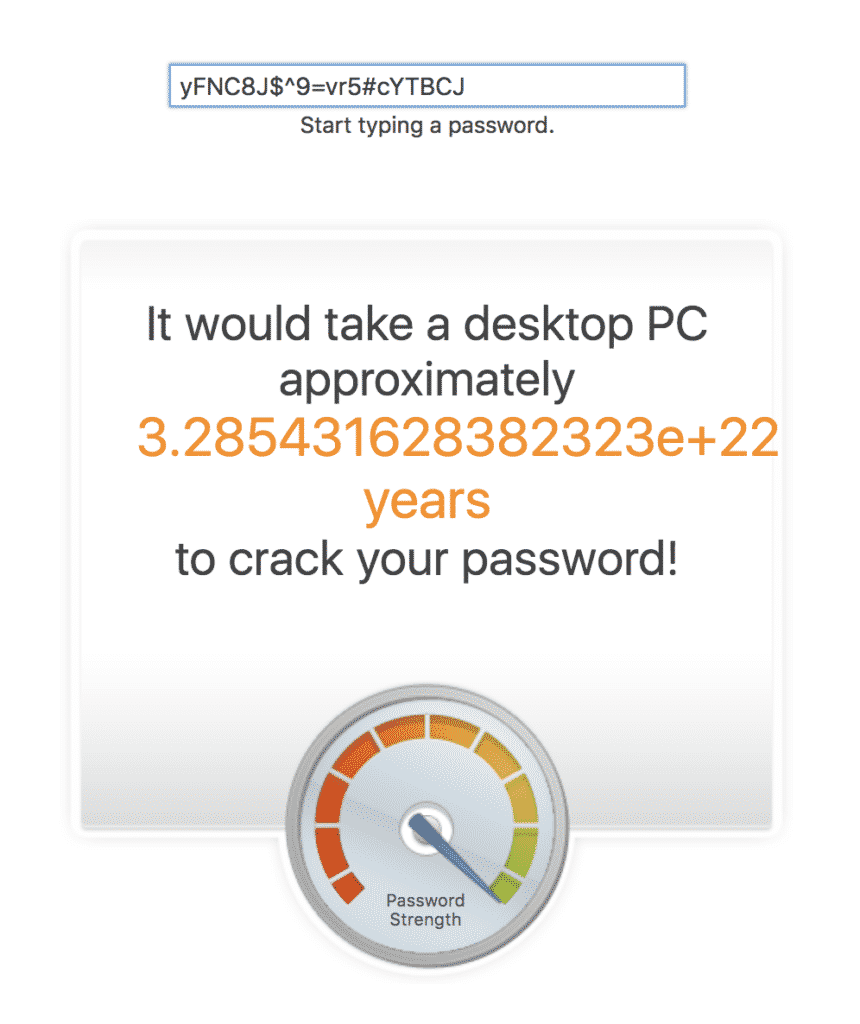
Example of a password generator

Sharing passwords
And the last step to keeping your password safe is to never share it – even in an email or on a messenger. These too can be hacked!
If you need to share access – could you add another user to the system instead so your password remains safe, and you can withdraw access at any time.
If this isn’t possible and you absolutely have to share a password, use the password vault’s ‘share’ service, provide it over the phone, or in a screenshot. The latter two aren’t ideal as this is where typos happen – and of course, you need to trust the person you’re giving it to so they keep it safe as well. But, you could always change it once they’ve finished.
Why keeping passwords secure should be your priority
Keeping your passwords secure isn’t just about protecting your website – it’s about protecting your business, your customers, and your reputation.
A compromised password can give attackers access to your entire website, allowing them to steal customer data, inject malware, deface your site, or even hold it hostage for ransom.
For UK businesses, a data breach isn’t just embarrassing; it’s a potential GDPR violation with serious legal and financial consequences. Once attackers have access, they can delete content you’ve spent years building, steal sensitive business information, or use your site to attack others. The damage can take weeks to fix and cost thousands in recovery fees – not to mention the trust you’ll lose with customers who discover their data was compromised. Strong, unique passwords stored securely are your first line of defence, and the effort of managing them properly is minuscule compared to the nightmare of recovering from a breach.